If you’re running Facebook Ads, here are the 10 key metrics to track, or you risk wasting your budget.
If you think heartbreak hurts, try pumping a lot of money into Facebook ads and getting zero results. It’s painful, frustrating, and, worst of all, avoidable.
Sometimes, the major problem might not even be your ad content; it could be in the tracking.
You see, no matter how much you spend or how creative your ad is, if you’re not tracking the right metrics, you may end up wasting money on underperforming ads.
But then, like I said earlier, it is avoidable.
So how do you make sure your ads actually deliver and get the most out of your campaigns? Here are 10 important metrics to track when running Facebook ads for better results.
10 Important Metrics to Track When Running Facebook Ads
1. Click-Through Rate (CTR)
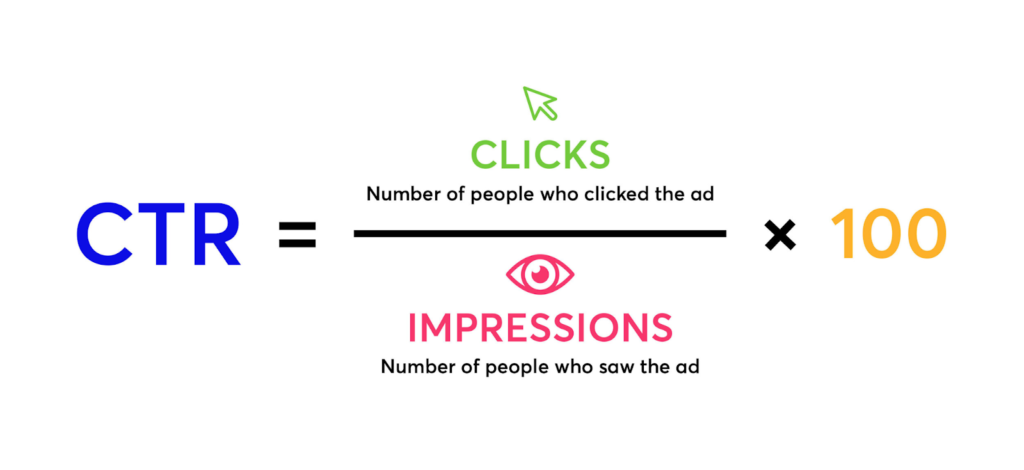
This measures the percentage of people who clicked on your ad after seeing it.
Your ad budget is well spent when people see your ads and click on them. Otherwise, you’d have ads with no results.
A high CTR indicates your ad copy, image/video, and targeting are effective.
On the other hand, if your CTR is low, it means that your audience doesn’t resonate with your ad content.
You might consider tweaking your ad copy and visuals or refining your audience targeting.
How to track CTR:
- Open Facebook Ads Manager
- Select the campaign you want to view
- Click Customise columns
- Select Performance
- Select Impressions and CTR
How to Improve CTR
CTR values differ based on the industry, but generally, the average CTR for search and display ads is 1.9%.
To ensure that your CTR stays within that range and also to improve it, here’s what you need to do:
- Test different ad copies and visuals using A/B testing.
- Use clear, compelling CTAs.
- Segment your audience into several categories with different demographics and needs, and create a separate offer and ad for each.
- Adjust your bidding strategy, location, and time settings.
READ ALSO: What are A/B Tests and How to A/B test Facebook Ads (Insert Link)
2. Conversion Rate
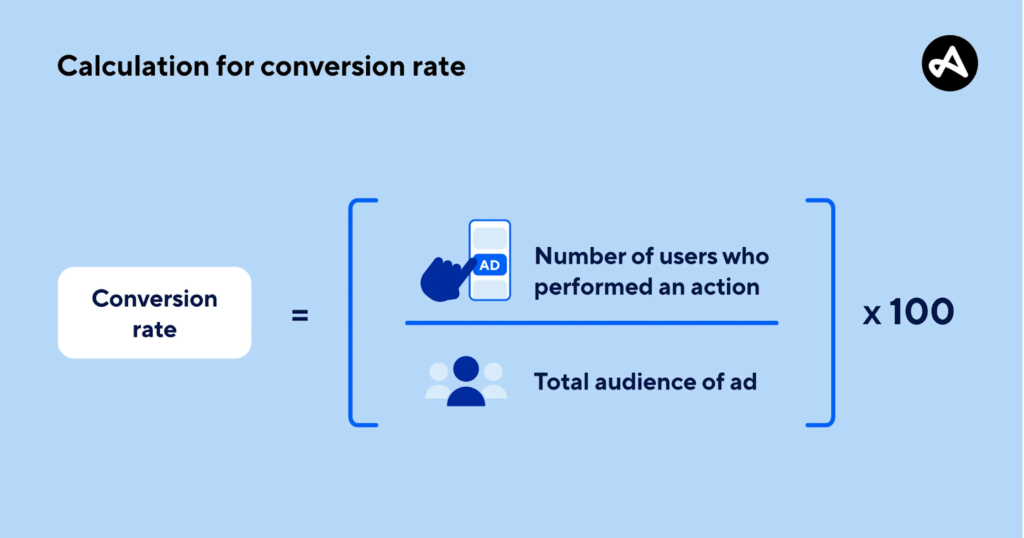
This measures the percentage of people who take the desired action after clicking on your ad.
A high conversion rate means your ad, landing page, and offer are effective, while a low rate suggests areas for improvement.
For example, if 1,000 users visit your website and 50 make a purchase, your conversion rate is 5%.
How to Track Conversion Rate
- Define your conversion goal (purchase, form submission, newsletter signup, etc.).
- Use analytics tools like Google Analytics, Adobe Analytics, or built-in website analytics.
- Set up conversion tracking within your analytics platform.
- Monitor and analyse conversion data to spot trends and optimise your campaigns.
How to Improve Conversion Rates
- Target specific audiences using Facebook’s custom audiences (insert link to “What are custom audiences and how to use them in Facebook ads”).
- Create compelling, short, and precise ad copy.
- Optimise landing pages for each audience segment.
- Use clear CTAs that highlight your value proposition.
- Add social proof like customer reviews and testimonials.
- Run A/B tests on different ad versions and audiences to find the most effective approach.
3. Cost Per Click (CPC)
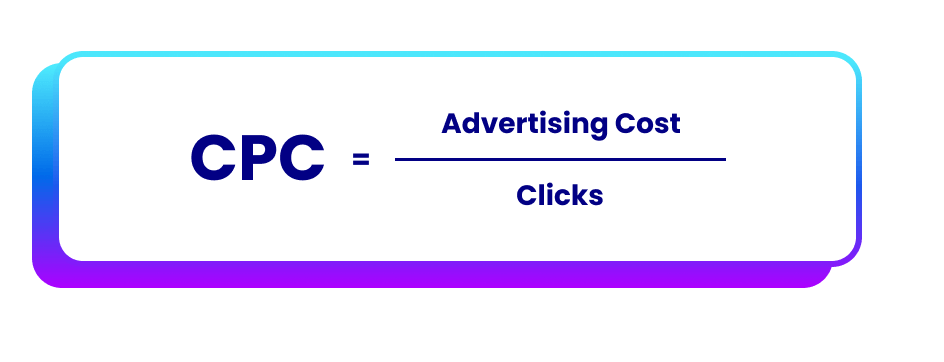
CPC is the amount you pay each time someone clicks on your ad.
To make it easier to understand, think about this: Imagine you’re selling shoes (or anything else) and you put up a billboard.
But instead of paying a fixed amount for the billboard, you only pay when someone walks up to a store and asks about your shoes.
That’s how CPC works in ads. You’re only charged when someone actually clicks on your ad, not just when they see it.
If your CPC is too high, it means you’re paying a lot for each click, which can eat into your profits.
So you need to lower it by adjusting your bidding strategy, improving your ad quality, targeting the right audience, and making your ad more appealing.
How to Track CPC
- Open Facebook Ads Manager.
- Select the campaign you want to review.
- Click Customise Columns and select Performance.
- View CPC under Cost Per Result.
How to Reduce CPC
- Improve ad relevance with compelling copy and visuals.
- Target a more specific audience.
- Adjust your bidding strategy.
- Optimise ad placements to reach high-intent users.
4. Cost Per Result (CPR)
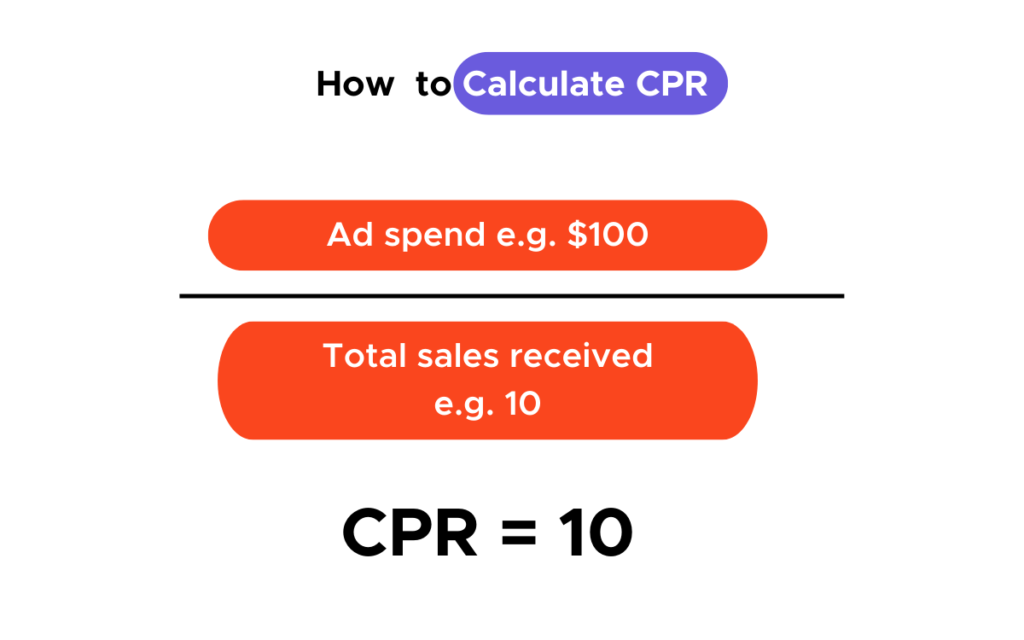
This is also known as cost per conversion, customer acquisition cost or cost per acquisition. It tells you how much you’re spending to achieve a specific goal, such as a purchase or a lead.
Lowering your CPR helps improve your return on investment (ROI)
How to Track CPR
- To track cost per result (CPR) in Facebook ads, you divide the total amount spent on ads by the number of results generated.
How to Lower CPR
- Optimise your landing page for conversions.
- Improve ad targeting to reach high-quality leads.
- Use retargeting ads to re-engage potential customers.
- Test different ad creatives to find what performs best.
5. Return on Ad Spend (ROAS)
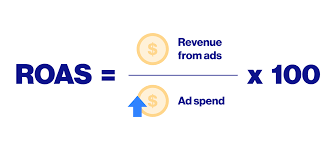
ROAS measures how much revenue you generate for every amount spent on ads.
If your ROAS is low, then consider optimising your targeting or ad creatives.
How to Track ROAS
- Install the Meta Pixel on your website.
- Set up events.
- Create a custom reporting column in Ads Manager.
- Divide the total revenue by the total ad spend.
- Multiply by 100 to get the percentage.
- Analyse ROAS metrics for purchases.
How to Improve ROAS
- Optimise targeting.
- Refine your ad creatives.
- Use retargeting strategies.
- Adjust bid amounts.
- Test different ad formats.
- Analyse performance data.
6. Impressions & Reach
Impressions
The total number of times your ad was displayed.
High impressions with low engagement could mean that your ad is not so appealing and therefore, is getting ignored.
Reach
This is the number of unique users who saw your ad.
If reach is high but conversions are low, targeting needs improvement, or you might need a stronger call to action.
How to Track
- Go to your Ads Manager.
- Select the Columns tab.
- Select Performance.
- View the Impressions or Reach metric in the campaigns tab.
How to Optimise:
- Understand your audience.
- Create content they will love to engage with and share.
- Use videos.
- Refresh your ad creatives frequently.
- Improve audience segmentation.
- Adjust budget distribution across different ad sets.
7. Ad Frequency
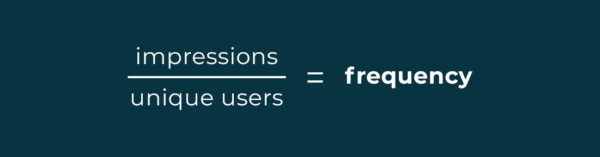
Ad frequency shows how often an individual user (a unique user) sees your ad.
If the same people see your ad too often, they might get tired of it and stop engaging.
An ad frequency of 2-3 impressions per week is ideal for brand awareness and 4-7 per week for conversion campaigns.
How to Track
- Go to your Facebook Ads Manager.
- Click Columns and select Customise Columns.
- Then add “Frequency” to your view.
Note: Facebook automatically calculates frequency by dividing the total impressions by the number of unique people reached.
How to Manage Ad Frequency
- Open Facebook Ads Manager.
- Select your campaign.
- Click Ad Set and then Edit.
- Scroll to Optimisation & Delivery and find the Frequency Cap section.
- Enter your desired cap.
- Monitor your campaign’s metrics and adjust the cap.
8. Engagement Rate
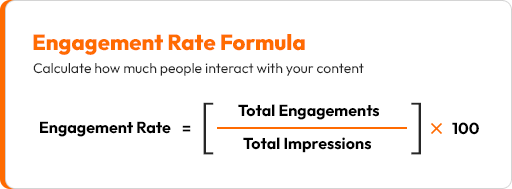
Engagement rate includes likes, comments, shares, and reactions. This metric tells you how many people are interacting with your ad.
A high engagement rate means your ad resonates with your audience. If engagement is low, test different creatives or messaging.
How to Track
- Click See Insights and Ads on a post to see its reach and engagement.
- Calculate engagement rate by dividing the total number of likes, comments, shares, and reactions by the total number of views, then multiplying it by 100.
- Use Facebook Ads Manager to get in-depth insights into your ad performance and make adjustments.
How to Boost Engagement
- Use interactive and relatable content.
- Ask questions or create polls in your content.
- Incorporate user-generated content.
- Experiment with different ad formats (carousel, video, etc.).
9. Quality Ranking & Relevance Score
Facebook rates your ad based on engagement, feedback, and estimated conversion rates.
A low ranking suggests your ad isn’t relevant to your audience, which can lead to higher CPCs and lower visibility.
A low score indicates that your ad might not be reaching the right audience or needs a creative revamp.
How to Track
- Open Ads Manager.
- Select the Ads tab.
- Click Columns.
- Select Customise Columns.
- Search for “Ranking”.
- Check Ad Quality Ranking.
For Relevance Score
- Open Ads Manager.
- Add the relevance score tab to your ad report(s).
How to Improve Quality Ranking
- Ensure your ad aligns with audience interests.
- Create visually appealing and well-written ads.
- Write great headlines.
- Optimise targeting for relevance.
- Follow Facebook ad policies.
10. Video View Rate (For Video Ads)
When running video ads, this metric shows the percentage of people who watch your video to completion.
If most viewers drop off early in your video, consider making it shorter or more engaging from the start.
How to Track
- Go to Ads Manager.
- Click Columns.
- Click Video Engagement.
How to Improve Video View Rate
- Hook viewers within the first few seconds.
- Keep videos concise and engaging.
- Add captions for silent viewers.
- Use high-quality visuals and storytelling.
- Use catchy thumbnails.
Tips for Better Facebook Ad Performance
Apart from these metrics to track your Facebook ads, here are some general tips to keep in mind when running ads for better results:
- A/B Test Different Ad Variations: Experiment with headlines, images, and CTAs to determine what works best.
- Optimise for Mobile Users: Most Facebook users browse on mobile, so ensure your landing pages are mobile-friendly.
- Use Retargeting Ads: Retarget visitors who didn’t convert the first time to increase conversions.
- Monitor Ad Spend & Budget Allocation: Adjust your budget based on high-performing ad sets.
Tracking these metrics is the secret to running Facebook ads that actually deliver results. Constantly monitor your ads and tweak them as needed to have a thriving campaign.
Want to Learn More About Facebook Ads? Check Out These Free Resources On Our Blog.
How to Set Up your Facebook Ad Account (Step by step)
How to Pay For Facebook Ads in Nigeria (Best Methods & Cards)
How to Make Money With Facebook Ads
What are the Best Times to Run Facebook Ads in Nigeria?


Elsie Udoh is a writer who transformed her love for talking into a career. You can easily tell that she talks a lot by how her paragraphs flow.
She’s big on clarity, connection, and helping people learn something new without getting bored halfway through.