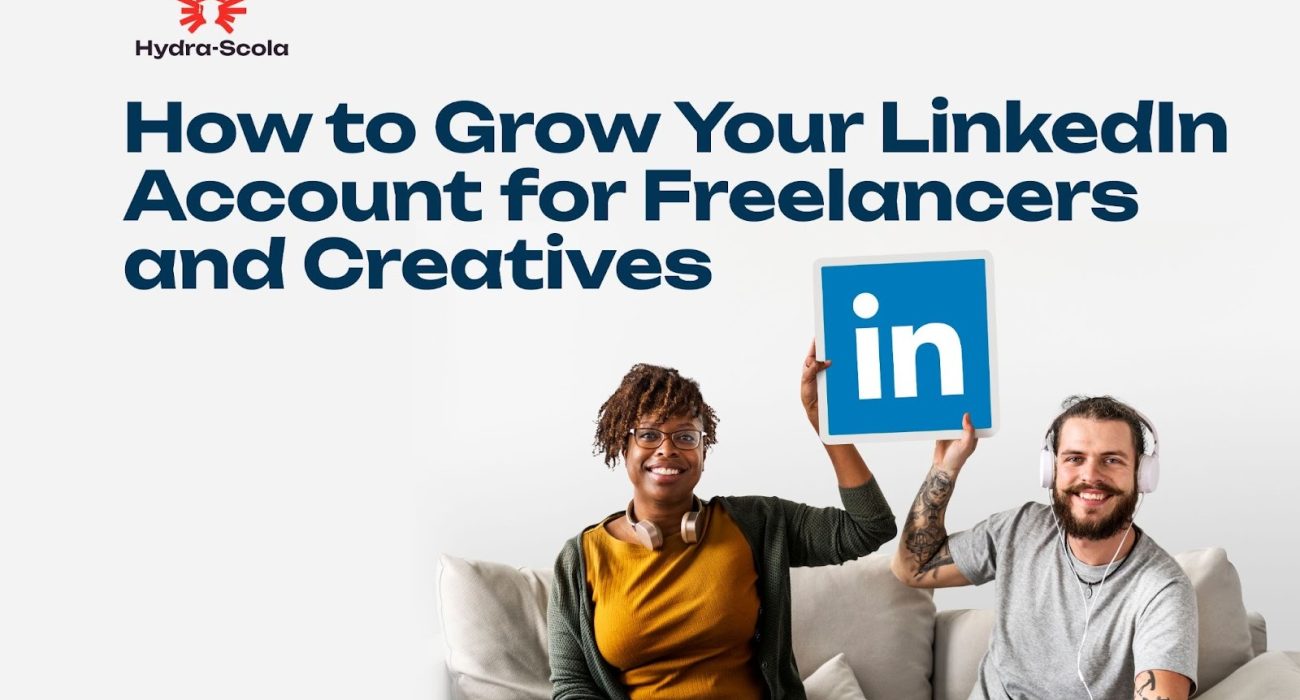
Did you know that more than 90% of employers and clients check LinkedIn profiles before making a hiring or collaboration decision? For freelancers and creatives, that means your next big opportunity might already be one post or one profile impression away.
Unlike Instagram or TikTok, where creativity often meets entertainment, LinkedIn is a professional stage where talent meets trust. It’s where your design, writing, or strategy skills are not only seen but valued by clients, recruiters, and collaborators.
That’s why learning how to grow your LinkedIn followers isn’t about vanity metrics but it’s about building visibility, authority, and opportunity.
In this guide, I’ll walk you through practical, data-driven ways to position yourself, attract genuine followers, and turn your network into real income streams and also introduce you to platforms such as Hydra-Scola, that have helped many freelancers go from zero visibility to consistent leads by following simple, focused growth systems.
Why LinkedIn Matters for Freelancers & Creatives
LinkedIn isn’t just for corporate professionals, rather it’s a powerful engine for freelancers and creatives to showcase expertise, build trust, and attract high-value clients. While platforms like Instagram or Behance highlight visual appeal, LinkedIn focuses on credibility and connection.
When a potential client searches for a designer, copywriter, or video editor, they often start with LinkedIn, not because it’s flashy, but because it reflects professionalism and authority.
On LinkedIn, people aren’t just scrolling for inspiration, they’re actively searching for collaborators, employees, or service providers. That means every post, profile update, or connection request is part of your business development strategy. Here’s the key difference:
- On Instagram, people follow aesthetics.
- On LinkedIn, people follow expertise. That’s why the same creative post that gets “likes” on Instagram might attract a client inquiry on LinkedIn.
Take for example Tunde, a freelance brand designer from Lagos. For months, he relied on Facebook and WhatsApp to find clients, sending cold messages that rarely converted.
But after optimizing his LinkedIn profile, posting mini case studies, and engaging with startup founders’ posts, he started getting inbound messages like “Hey, I saw your post about rebranding, can we talk?”
Within six months, LinkedIn became his primary client source.
According to a LinkedIn Business report, over 80% of B2B leads come from LinkedIn—making it the most effective platform for professional networking and business development (source: LinkedIn Business).
So, if you’re a creative or freelancer trying to land better gigs, this is your professional playground. And before you start growing your audience, you need to get your foundation right, which begins with your profile.
Foundational Setup: Preparing Your Profile to Attract Followers
Before you start growing your audience, your LinkedIn profile needs to look and feel like a digital portfolio that converts casual visitors into loyal followers or even paying clients. Think of your LinkedIn profile as your personal landing page.
When someone clicks on your name after seeing your comment or post, they’ll make a decision in seconds: “Is this someone worth following or working with?” That decision depends entirely on how well your profile communicates value, credibility, and identity. Here’s what you should polish before chasing growth:
- Profile Photo: Use a clear, high-quality image with good lighting. Avoid busy backgrounds. For creatives, your photo can show personality (e.g., a light smile, neutral background).
- Banner: Your banner is free billboard space. Use it to display your niche, tagline, or a mini portfolio preview. A writer could display: “Helping brands tell stories that convert.” A designer might show snippets of past projects.
- Tagline (Headline): This is one of the most important parts of your profile for LinkedIn SEO. Instead of just writing “Graphic Designer,” say something like “Brand Designer | Helping startups create memorable visual identities.”
- About Section: Tell your story briefly but powerfully. Focus on who you help, what you do, and what makes your approach different. Use relevant keywords naturally throughout. Include your niche keywords here (e.g., “freelance designer,” “content strategist,” “brand identity expert”). This boosts your search visibility.
- Featured Work Section: Showcase your best posts, portfolio links, case studies, or testimonials. Think of this as the “proof” that backs up your headline.
- Skills & Endorsements: Add skills that match your niche (e.g., Adobe Illustration, content strategy, storytelling). Encourage past clients or collaborators to endorse you because it builds credibility.
- Custom URL: Shorten your LinkedIn URL (e.g., linkedin.com/in/yourname). It looks cleaner and more professional when sharing on resumes or business cards.
Let’s imagine you’re a freelance photographer and you want to attract brand collaborations.
- Your headline could be: “Lifestyle Photographer | Helping brands tell visual stories through authentic imagery.”
- Your banner might include sample shots with your logo watermark.
- Your featured section could link to your Instagram or Behance for full galleries.
This setup tells a clear, immediate story to anyone landing on your profile.
Treat your About section like a mini sales page. Focus on what clients gain from working with you, not just what you do. Include metrics or results if possible (“helped 20+ brands grow visibility through visual storytelling”).
If you’re unsure how best to design a professional banner or refine your brand identity, explore Hydra-Scola’s design courses or marketing strategy training. These can help you create a strong, consistent visual and messaging foundation that makes people want to follow, and hire you.
Once your profile looks professional, it’s time to bring it to life through content; because that’s how people find and remember you on LinkedIn.
Content Strategy — What to Share & How to Share It
Once your profile is optimized, the next step is building visibility — and that comes from consistently creating and sharing valuable content. For freelancers and creatives, your content is your proof of expertise. It’s how you attract clients, collaborators, and followers without cold messaging people.
A. Understand What Kind of Content Works on LinkedIn
LinkedIn’s algorithm prioritizes authenticity, value, and engagement. The best-performing content types for freelancers and creatives include:
- Educational posts: Share insights, lessons, or tips from your niche. For instance “3 mistakes new brands make when designing their logo”. This helps your audience learn and positions you as an expert.
- Behind-the-scenes posts: Show your process, tools, or creative workflow. For instance, “Here’s how I turn a rough client brief into a brand story that sells”. This makes you relatable and authentic.
- Case studies and results: Share what you’ve done for clients and the results. Like “How I helped a SaaS startup boost conversions by 47% through a well-optimized content strategy.” It helps you build credibility and attracts leads.
- Personal growth stories: Talk about your journey, challenges, and wins. For instance, “Last year, I had zero clients. Here’s what changed when I optimized my portfolio”. Emotional storytelling drives engagement and community.
- Opinion posts: Share your take on industry trends. For instance, “AI won’t replace designers, but designers who use AI will replace those who don’t.” It sparks discussion and positions you as a thought leader.
- Short videos or carousels: Visual content gets noticed faster. A carousel showing “Before & After” of your designs or “Top 5 free tools for freelancers.” will draw attention.
B. How to Create Engaging LinkedIn Posts
To make your posts stand out:
- Hook early: The first two lines must grab attention. For example: “I lost my first big client because I didn’t understand this one thing about communication…”
- Be concise: Use short paragraphs and white space. Avoid jargon.
- Add storytelling: Every insight should have a mini story because people connect with experiences, not just advice.
- Use formatting: Bullet points, emojis (lightly), and bold phrases make your post easier to read.
- End with a CTA: Ask a question or encourage interaction. “What’s one thing you wish you knew before you started freelancing?”
C. Frequency and Consistency
- Start with 2–3 posts per week: Posting daily isn’t necessary if your content is strong and consistent.
- Use a content calendar: plan themes: e.g., Mondays for tips, Wednesdays for client stories, Fridays for personal reflections.
- Engage for at least 15–20 minutes daily, like, comment, and reply to others. LinkedIn rewards consistent interaction.
D. The “3E Rule” for Freelance Creators
Every piece of content you post should do at least one of these:
- Educate: Teach your audience something useful.
- Entertain: Use humour, storytelling, or relatable experiences.
- Engage: Encourage conversation or reflection.
If you want to improve and streamline your content creation, Hydra-Scola’s Faculty of Writing provides templates for freelancers, including post structures, headline formulas, and growth checklists, so you can focus on creativity, not confusion.
Growth Tactics — Proven Strategies to Actively Grow LinkedIn Followers
Once your foundation is solid; profile optimized, content running, and engagement steady, it’s time to scale your visibility. Growth on LinkedIn isn’t random luck; it’s the result of consistent strategy, collaboration, and small tactical moves done repeatedly.
A. Leverage Your Existing Network
Before chasing new followers, start with who already knows you. Your old colleagues, clients, classmates, and fellow creatives are the fastest way to grow.
Steps:
- Reconnect with past clients; thank them for old projects, share updates, and subtly reintroduce your current work.
- Export your email contacts (from Gmail, Outlook, etc.) and sync with LinkedIn, many people overlook this step.
- Write a “reintroduction post” like:
“Hey everyone. In case you have forgotten. I’m a professional brand designer. I’ve been freelancing full-time as a brand designer for the past 3 years, helping businesses create visual stories that connect and convert. Excited to share more insights and projects here!”
This reminds old contacts of your skill and reactivates dormant relationships.
B. Master the Art of Hashtags & SEO
LinkedIn works like a mini search engine. When people search “freelance writer” or “creative designer,” your profile and posts can appear, if optimized properly.
Tips:
- Add 3–5 relevant hashtags to every post (not 15. Lol). For example: #FreelancerLife, #CreativeDesign, #ContentMarketing, #LinkedInTips
- Use keyword-rich headlines in your posts. Instead of “My thoughts this morning,” say “Three (3) Ways Freelancers Can Win Clients Through Consistent Posting.”
- Sprinkle niche keywords in your “About” section and post captions naturally.
C. Cross-Promote Across Platforms
If you’re active on Instagram, X (Twitter), or TikTok, use those audiences to fuel your LinkedIn growth. For instance:
- Add your LinkedIn URL to your bio on other platforms.
- End YouTube videos or Instagram captions with: “For more in-depth creative business tips, I post weekly on LinkedIn; connect with me there.”
- Repurpose Twitter threads or short tips into LinkedIn carousels.
D. Collaborate With Other Creatives
Partnerships work wonders for growth.
- Co-write a post or carousel with another freelancer (“What Copywriters Wish Designers Knew”, co-authored by two people).
- Tag each other in posts.
- Host joint LinkedIn Audio Events or Lives on creative topics.
- Swap testimonials on your profiles (“I worked with X, He is avery detailed-oriented and fantastic nature photographer!”).
E. Post Consistently With Purpose
LinkedIn rewards consistency more than virality. Aim for 3 – 4 quality posts weekly, even if short. Focus on repeatable content series — e.g.:
- “Monday Motivation for Creatives”
- “Freelance Tip Thursdays”
- “Sunday Reflection: What I Learned This Week as a Designer”
F. Use Engagement Loops to Stay Visible
The algorithm boosts your reach when engagement happens fast (within the first 60 minutes).
You can:
- Send your post to peers or creative communities and ask for genuine feedback.
- Comment on others’ content before posting yours, so they reciprocate.
- Tag collaborators, clients, or relevant brands thoughtfully.
G. Turn Profile Visitors Into Followers
Many people visit your profile without following. Encourage them.
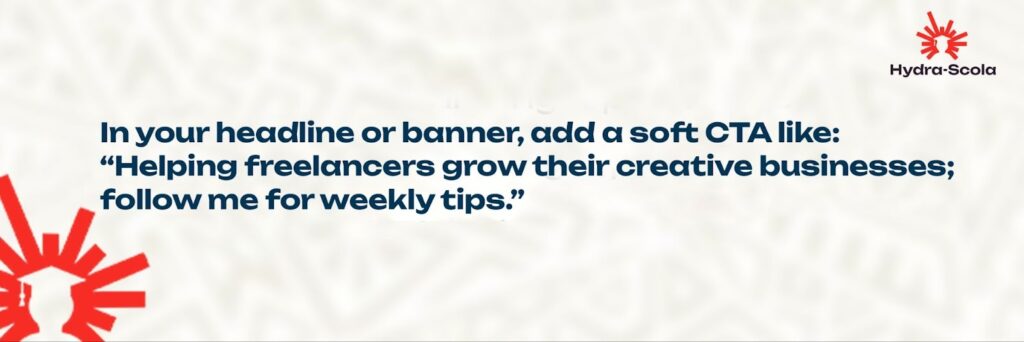
Or in your posts, add: “If you found this helpful, follow me for more freelance growth ideas.” Never underestimate direct calls to action — they work.
H. Optimize Posting Time & Format
LinkedIn’s analytics show when your audience is active. But as a general rule:
- Best times: Tuesdays–Thursdays, 9 AM – 12 PM (your audience’s local time).
- Avoid weekends unless your niche is lifestyle/entertainment.
- Mix formats: text + photo, carousels, polls, short videos, articles.
Mini Checklist: Algorithm-Friendly Formats
- Native text posts (200–500 words)
- Carousels (uploaded as PDFs)
- Videos under 90 seconds
- Polls (engagement driver)
I. Growth Checklist:
Daily
- Comment on 5 niche posts
- Reply to all comments on your content
- Connect with 3 new relevant people
Weekly
- Publish 3 – 4 quality posts
- Review analytics and engagement
- DM 2 potential collaborators or clients
Monthly
- Audit your profile headline & About section
- Re-share your best-performing post
- Join one new group or event
If you’d like structured support building momentum, explore Hydra-Scola’s LinkedIn Growth Accelerator, a bootcamp that helps freelancers develop consistent, high-performing LinkedIn strategies with templates and creative posting calendars.
Tools, Resources & Learning Paths to Support Your Growth
You can’t grow your LinkedIn followers effectively if you’re doing everything manually. The right tools and learning resources help you create, schedule, analyse, and optimise faster, so you can focus more on creativity and networking.
A. Why Tools Matter for Freelancers and Creatives
LinkedIn growth is a mix of creativity, consistency, and timing. But juggling client work, deadlines, and posting regularly can be tough. That’s where tools come in: they help you stay consistent without feeling overwhelmed. Think of them as your personal creative assistant, helping you plan content, analyse performance, and stay visually sharp.
B. Must-Have Tools for Managing LinkedIn Growth
| Category | Recommended Tools | Purpose |
| Scheduling | Buffer, Hootsuite, Metricool | Plan and auto-publish posts so you don’t forget. |
| Design & Visuals | Canva, Figma, Adobe Express | Create professional banners, carousels, and infographics. |
| Video Editing | CapCut, InVideo, Descript | Edit short clips or behind-the-scenes videos for your content. |
| Analytics | LinkedIn Native Analytics, Shield App | Track engagement rates, impressions, and follower growth. |
| Writing & Idea Tools | Notion, Trello, Grammarly | Organise content ideas and ensure clarity and accuracy in every post. |
C. Creative Tools to Showcase Your Work
For visual creatives (photographers, designers, artists):
- Behance or Dribbble: host your best projects and link them in your LinkedIn “Featured” section.
- Canva Portfolio Page: if you don’t have a website, design a one-page creative portfolio in Canva and share it as a featured link.
- Google Drive/Notion Pages: great for writers to store samples or past client work.
D. Learning Paths to Level Up Your LinkedIn Game
Growth on LinkedIn is easier when you keep learning. These learning paths can sharpen your strategy and creative skills:
1. LinkedIn Learning
- Free and premium courses on personal branding, freelancing, and social media marketing.
- Example: ‘Building Your Personal Brand on LinkedIn’ by Chelsea Krost.
2. YouTube Channels
- Justin Welsh (LinkedIn growth for freelancers)
- Ali Abdaal (content productivity tips)
3. Hydra-Scola Courses
- Hydra-Scola Design Fundamentals: helps creatives develop strong visual presence for their LinkedIn pages.
- Hydra-Scola Marketing Strategy Accelerator: teaches freelancers content positioning and client acquisition strategies.
E. Community and Mentorship Spaces
LinkedIn itself is a community, but external creative groups can multiply your exposure. Join spaces like:
- Freelance Coalition for Creatives (FCC Africa)
- LinkedIn Creators Community
- Women in Marketing (WiM Africa)
- Hydra-Scola Creative Network: a mentorship-based group where creatives share insights, templates, and client strategies.
Active communities help you stay accountable and inspired while meeting potential collaborators.
F. Automation and Time Management Tips
Automation doesn’t mean losing your human touch; rather, it’s about freeing your schedule for deeper engagement.
Here’s a balanced workflow:
- Batch creates your content once weekly.
- Use Buffer to auto-schedule posts.
- Set daily 20-minute slots for live engagement (comments, replies, DMs).
- End each week reviewing analytics to adjust topics or post types.
Weekly Workflow
- Create 3 – 4 posts in one sitting
- Schedule using Buffer or Metricool
- Review analytics every Sunday
- Track ideas in Notion or Trello
- Design visuals on Canva/Figma
G. Bonus: External Resource Links
- LinkedIn Creator Mode Guide (LinkedIn Official)
- Hootsuite LinkedIn Analytics Guide
- Canva for Freelancers Templates
These resources complement your Hydra-Scola training and help you deepen your learning and efficiency.
Measuring Progress & Adapting Your Approach 
Growth on LinkedIn isn’t just about gaining followers, but it’s about understanding what’s working, what’s not, and adjusting accordingly.
The most successful freelancers and creatives treat their LinkedIn presence like a living project, constantly refined through data and feedback.
A. Why Tracking Matters
If you don’t measure your results, you’ll rely on guesswork. LinkedIn offers clear insights that show you which posts attract engagement, which keywords pull views, and which connections turn into clients.
A freelance writer noticed that her posts about storytelling consistently got 2× more engagement than posts about freelancing tips. She pivoted her content strategy, and within two months, her follower count grew by 60%. The lesson? Track, learn, adapt.
B. Key Metrics to Track Weekly
| Metrics | What It Tells You | Why It Matters |
| Follower Growth | How your audience is expanding | Indicates visibility and interest |
| Engagement Rate (Likes + Comments ÷ Impressions) | How people interact with your content | Measures how relevant or resonant your posts are |
| Profile Views | Who’s checking your profile | Helps identify potential clients or collaborators |
| Post Impressions | Reach of your content | Tracks visibility over time |
| Connection Requests | Number of new inbound opportunities | Indicates growing influence |
| Link Clicks/DMs | Conversions | Shows lead or client potential |
C. How to Use LinkedIn Analytics
Go to your Analytics Dashboard (on desktop):
- Click your profile → “View Analytics.”
- Check Profile Views, Post Impressions, and Search Appearances.
- Note your best-performing posts by format (carousel, video, text).
Once a week, record metrics in a simple Notion or Google Sheet. Over time, you’ll start to see patterns like what days perform best or which topics drive more leads.
D. Identify Content Patterns
Look for trends:
- Do your storytelling posts outperform tutorial posts?
- Do your carousels get more shares than videos?
- Do posts with personal photos attract more comments?
These clues help you focus on what resonates most with your audience. For example, a graphic designer noticed that short “design critique” posts earned better reach than static portfolio uploads. She made critique content for her main series and doubled her reach in 45 days.
E. Learn From Audience Behaviour
Analytics show who is engaging. Look at industries, job titles, and regions; this tells you if your content is reaching potential clients.
If your followers are mostly other creatives, but you want business owners, adjust your language:
- Replace “Here’s how I designed this” with “Here’s how a design like this can boost your brand sales.”
Shift the message to attract decision-makers, not just peers.
F. Adjusting Your Strategy: The 3-Stage Loop
- Observe – Review metrics weekly.
- Test – Change one thing at a time (e.g., post type, time, tone).
- Refine – Keep what works, drop what doesn’t.
G. Tools to Simplify Tracking
| Tool | Use |
| LinkedIn Native Analytics | Free built-in insights. |
| Shield App | Advanced analytics dashboard for creators. |
| Notion/Google Sheets | Custom tracking templates for consistency. |
| Metricool | Combined scheduler and analytics tool. |
H. Milestone Review Framework
Every 8 to 12 weeks, do a full progress review. Ask yourself:
- Have my followers grown by at least 10–15%?
- Are my comments increasing per post?
- Which posts led to DMs or client inquiries?
- Am I attracting my target audience (not just peers)?
- What new content types will I test next?
Turn this reflection into your next 8 to 12 weeks strategy, keep what’s working, drop/fix what isn’t.
Consistency and Patience: The Real Secret to Growth
Growing your LinkedIn followers as a freelancer or creative is not a one-time event but it’s a long-term brand strategy. Too many people expect overnight results, post for two weeks, and then quit when engagement slows.
But LinkedIn growth doesn’t work like that. It rewards consistency, value, and authentic presence over time.
Why consistency matters: LinkedIn’s algorithm favours creators who show up regularly. Posting consistently tells the system, and your audience, that you are active, relevant, and reliable.
This consistency builds both visibility and credibility. According to a LinkedIn Creator Report, creators who post at least twice a week experience up to 150% more profile visits than those who post irregularly.
The more you show up, the more your audience remembers you, and the higher the chance that opportunities find you.
What to focus on:
- Quality over quantity: You don’t have to post daily. Instead, aim for two to three thoughtful, high-quality posts each week that provide genuine insight or showcase your work.
- Consistency in voice: Keep your tone, visuals, and message aligned with your personal brand. Whether you’re a graphic designer, writer, or marketer, your posts should sound and look like you.
- Engage every day: Even if you’re not posting, spend 15–20 minutes engaging with others. Comment, like, and share content that aligns with your goals. LinkedIn rewards active participation.
Conclusion; Turning LinkedIn Growth into Real Career Opportunities
At this point, it’s clear that learning how to grow your LinkedIn followers as a freelancer or creative isn’t just about gaining visibility but it’s about positioning yourself where opportunity naturally finds you.
The secret isn’t in hacks or viral posts. It’s in how consistently you show value, connect genuinely, and present your skills with confidence.
Every post, comment, and message on LinkedIn can open a door, whether that’s a new client, a speaking engagement, or a collaborative project that transforms your career.